Questa pagina non è ancora tradotta, quindi stai leggendo la versione inglese.
For cleaners: WhatsApp and one link, nothing to install
The day's plan arrives in WhatsApp, in the cleaner's language. One link opens the cleanings, the access code, the checklist and a button to report a problem.
Cleaners do not create an account or install anything. They need WhatsApp and a phone browser.
The morning message
When a cleaner is added, they get one WhatsApp message asking them to confirm. After that, each working morning brings a short message: how many cleanings they have that day and a personal link. WhatsApp messages arrive in the cleaner's language: Polish, Ukrainian, Russian or English today. For other languages WhatsApp must approve each message template first; until then those cleaners get the English version. The link itself opens in their own language.
The day on one page
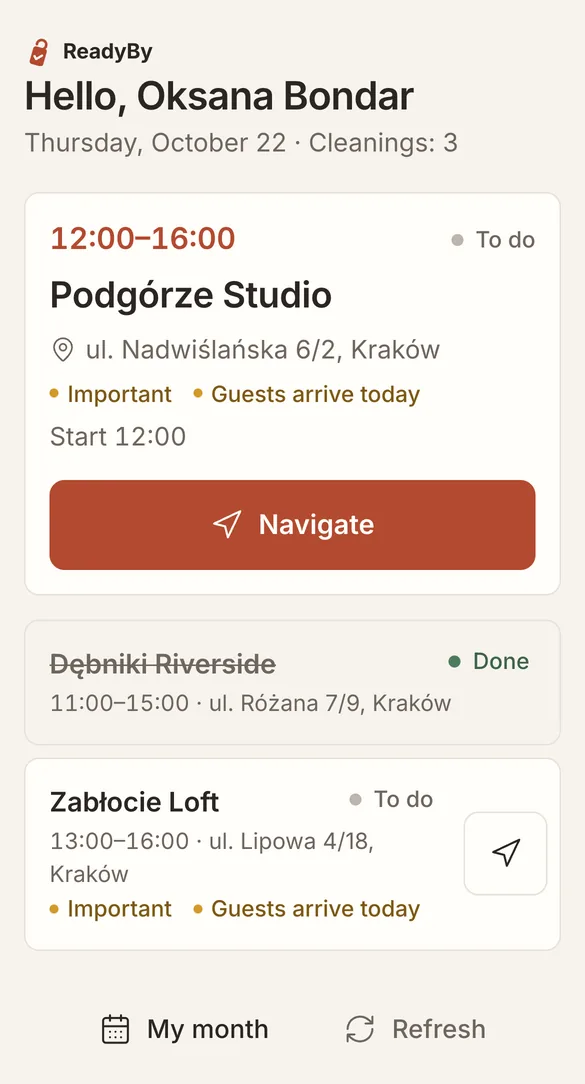
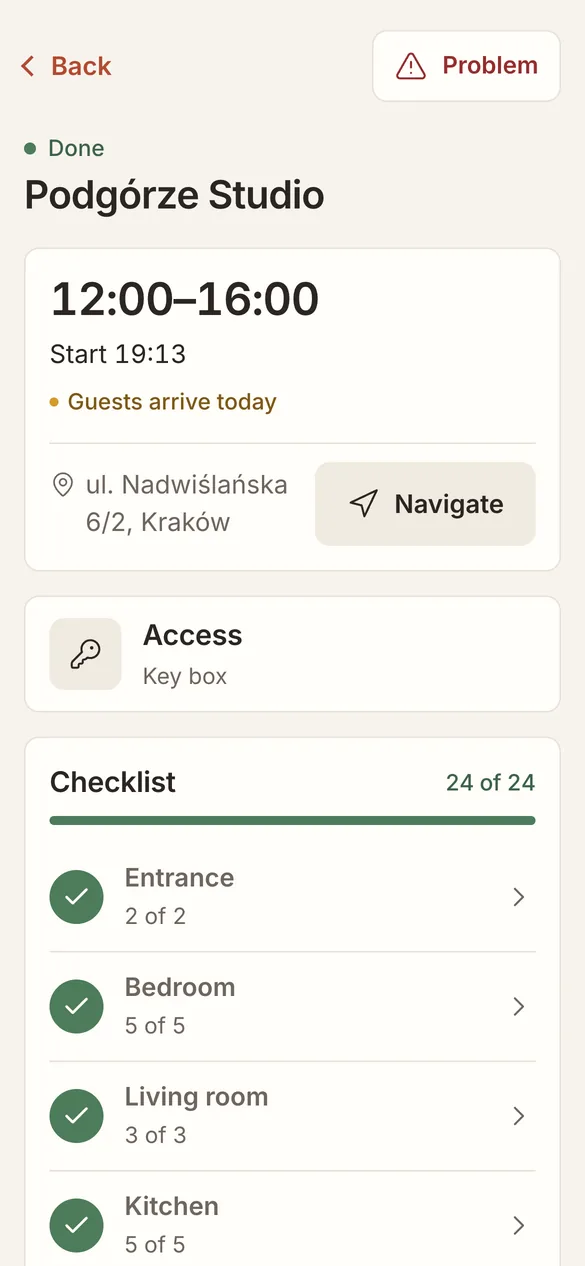
The link opens the day: cleanings in order, with the address, the window and flags such as Guests arrive today. Navigate opens the route in the phone's maps. The page can be added to the home screen like an app.
The access code, only when it is needed
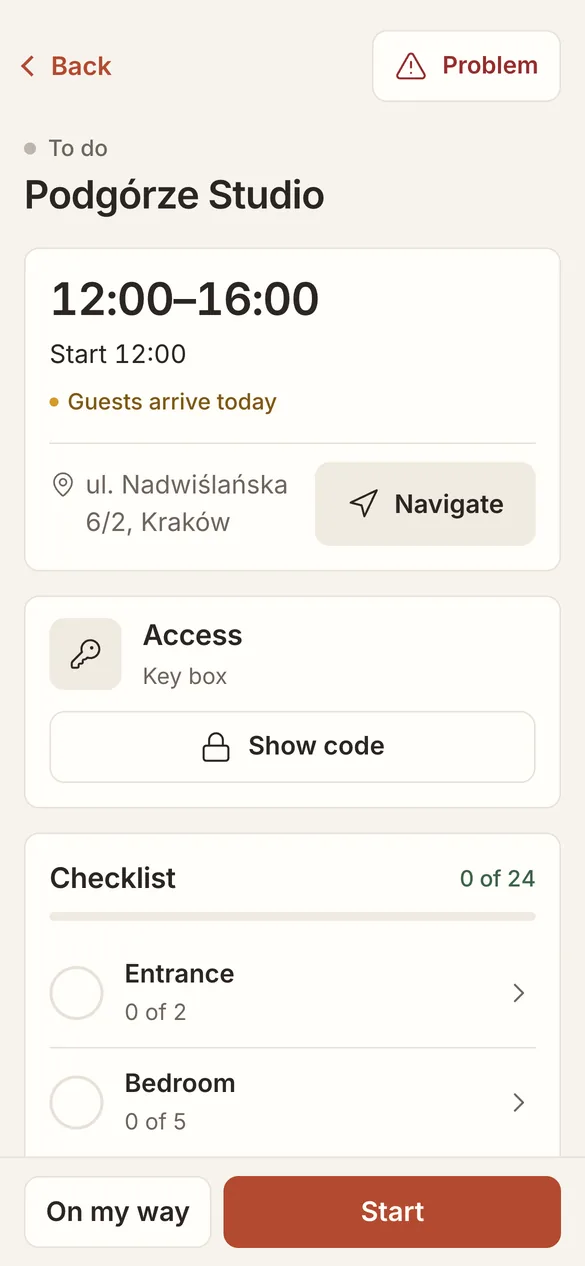
The code is hidden until the day of the cleaning. It appears 15 minutes before the start, or straight away once the cleaner taps On my way. Each time a code is shown, it is logged.
The checklist, room by room
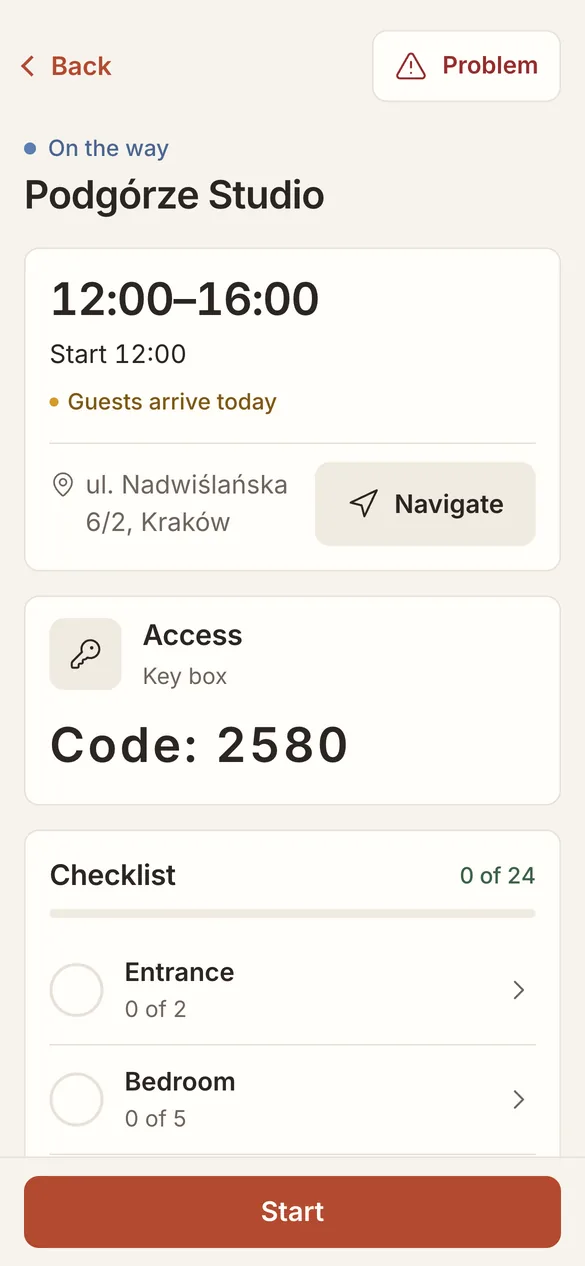
Start begins the cleaning. The checklist opens one room at a time, with a Take photo button on the items that need proof. The progress bar shows what is left, and Done asks only about the required items that are still open.
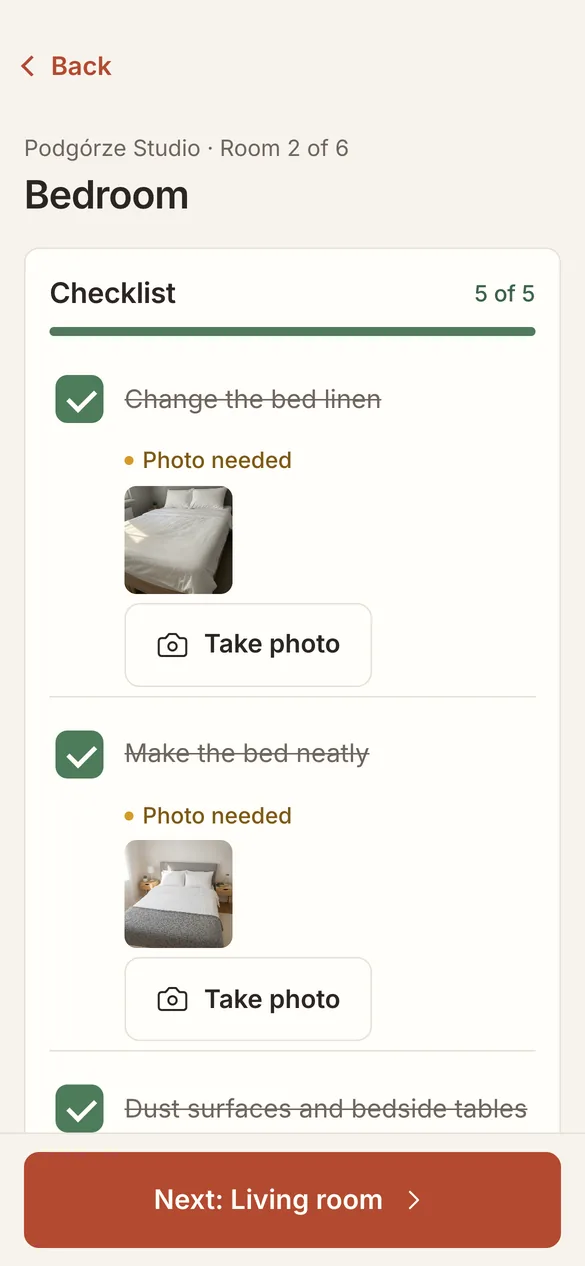
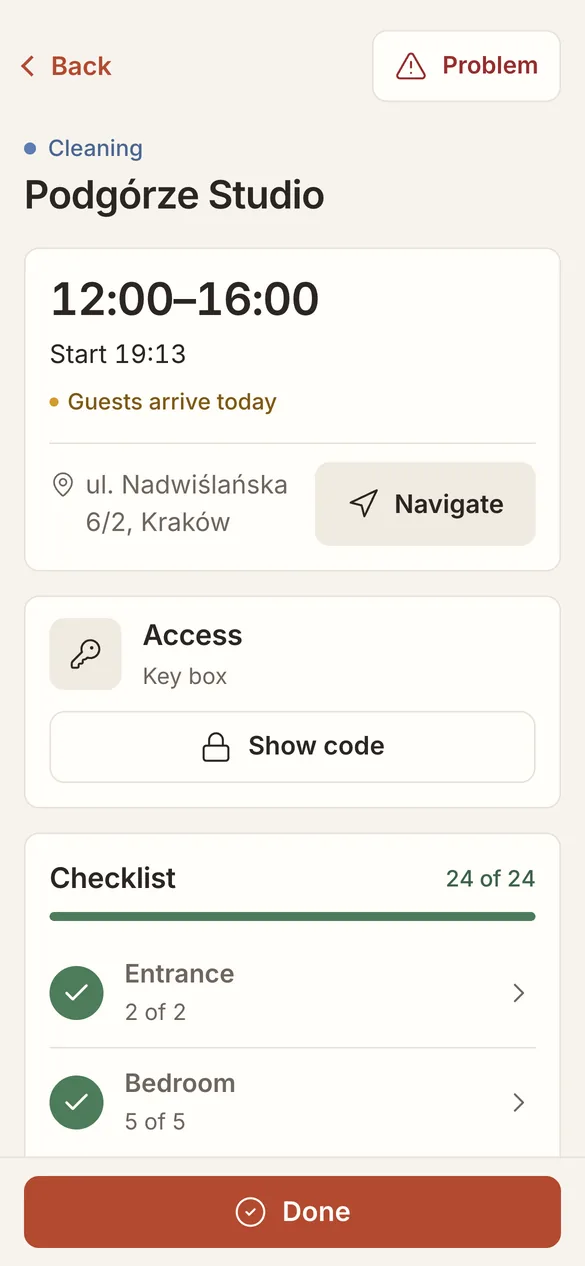
The page works with a weak signal. Ticks and photos wait on the phone and are sent when the connection comes back.
Reporting a problem
Problem opens a short form: what happened (broken, much dirtier than usual, not enough linen, missing item, a code that does not work), a description in any language and photos. The cleaner can also say they cannot continue, or that it is urgent because guests arrive soon.
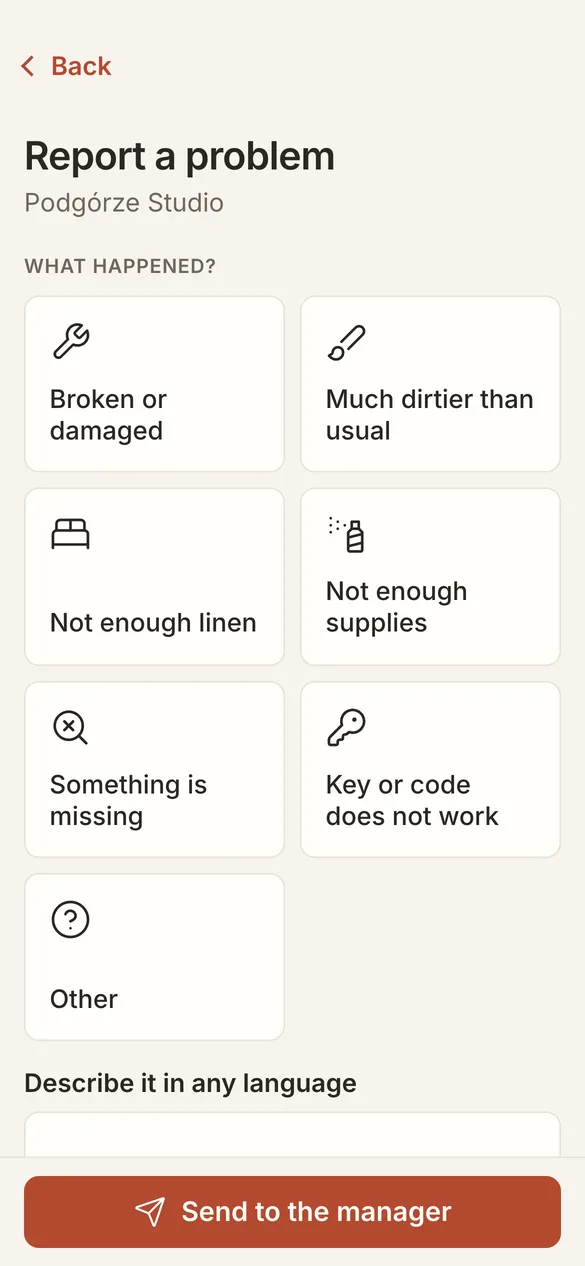
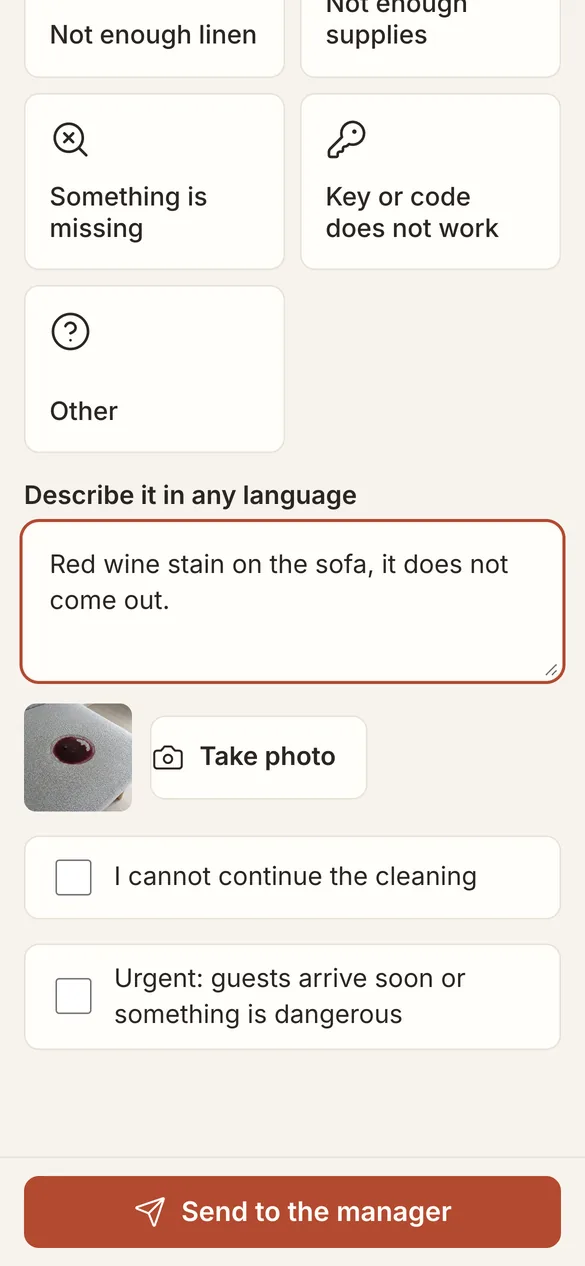
The report reaches the manager's Inbox right away.
Done
Done finishes the cleaning. The manager sees it on Today, and the owner's report gets the photos.
Asking the coordinator
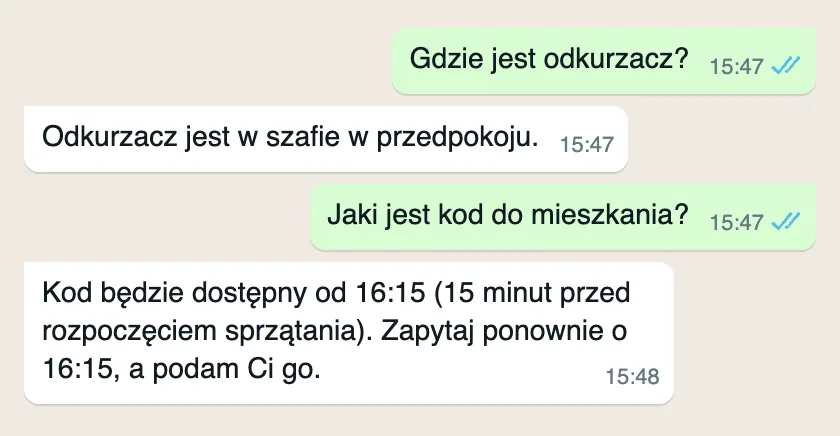
Cleaners can write to the same WhatsApp number in their own words and language. The coordinator answers from what you have entered for the apartment, and follows your rules. Here a cleaner writing in Polish asks where the vacuum cleaner is, then asks for the door code before the cleaning has started: